importsort-d
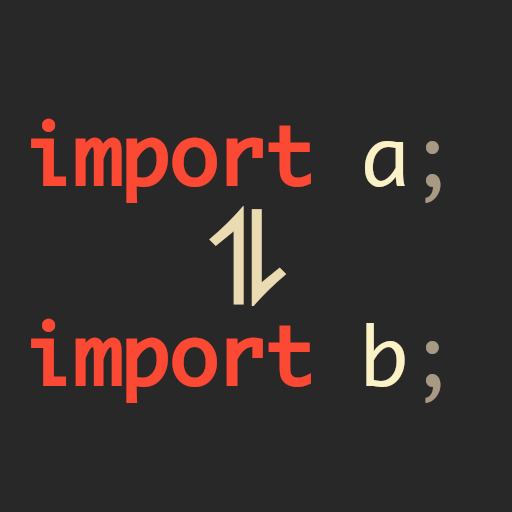
sorts your dozens of imports in a .d-file



Sort Imports for D
sortimport-d can sort your dozens of import’s in a .d file (no matter where)
Installation
Prerequisite
Building from HEAD
Get the repository with git and compile everything with dub
$ git clone https://github.com/friedelschoen/importsort-d
$ cd importsort-d
$ dub build
If everything went fine, there should be a binary at bin/importsort-d.
Copy this into a directory included in $PATH (/usr/bin for example) to make this command work globally.
$ sudo cp bin/importsort-d /usr/bin/
or add this into your .bashrc, .zshrc, etc.
export PATH=$PATH:"<path/to/importsort-d>/bin/" # on bash or zsh
fish_add_path "<path/to/importsort-d>/bin/"     # on fish-shell
Building with DUB
$ dub fetch importsort-d
$ dub run importsort-d -- --help
This won’t install the command globally, you always have to run dub run importsort-d <args>
Usage
see
$ importsort-d --help
$ dub run importsort-d -- --help
Documentation
Look at the documentation at dpldocs.info, if you want to use this project in code.
FAQ
How to add importsort-d to Visual Studio Code?
There’s a plugin called Run on Save. You can install it and set
importsort-das an onSave-hook:... "emeraldwalk.runonsave": { "commands": [ { "cmd": "importsort-d --inplace ${file}", "match": "\\.d$" } ] }, ...
How to add importsort-d to VIM/NeoVIM?
Just add this to your
.vimrcorinit.vim:autocmd BufWritePost * silent !importsort-d --inplace <afile>
Are cats cool?
Yes
ToDo’s
- recursive searching (
v0.2.0) - merge imports (
v0.3.0) - watch-mode (struggling with save-timings - can clear files)
- you can add importsort-d into your onSave-hooks
- support multiple imports in one line (demilited by
;) - stripping unused imports (maybe)
you got some ideas? Issue them!
Changelog
v0.1.0
- the very first version
- not a lot is implemented
v0.2.0
- added
--recursive - option
--keepbecomes disabling formatting - option
--inlinedon’t copy the original but creates a*.newand renames it afterwards - option
--originalbecomes--bindingand sorts by original by default - refactoring code
v0.3.0
- added
--merge
v0.3.1
- added documentation for contributers (or people who really want to see my code)
v0.3.2
- new argument-parsing
- added
--ignore-case(pull-request #2) - already sorted files won’t be resorted and added
--force(issue #5) - multiple
importin one line will be split up in multiple lines --inlineis renamed to--inplace
License
This whole project is licensed under the beautiful terms of the zlib-license.
Further information here.
made with love and a lot of cat memes